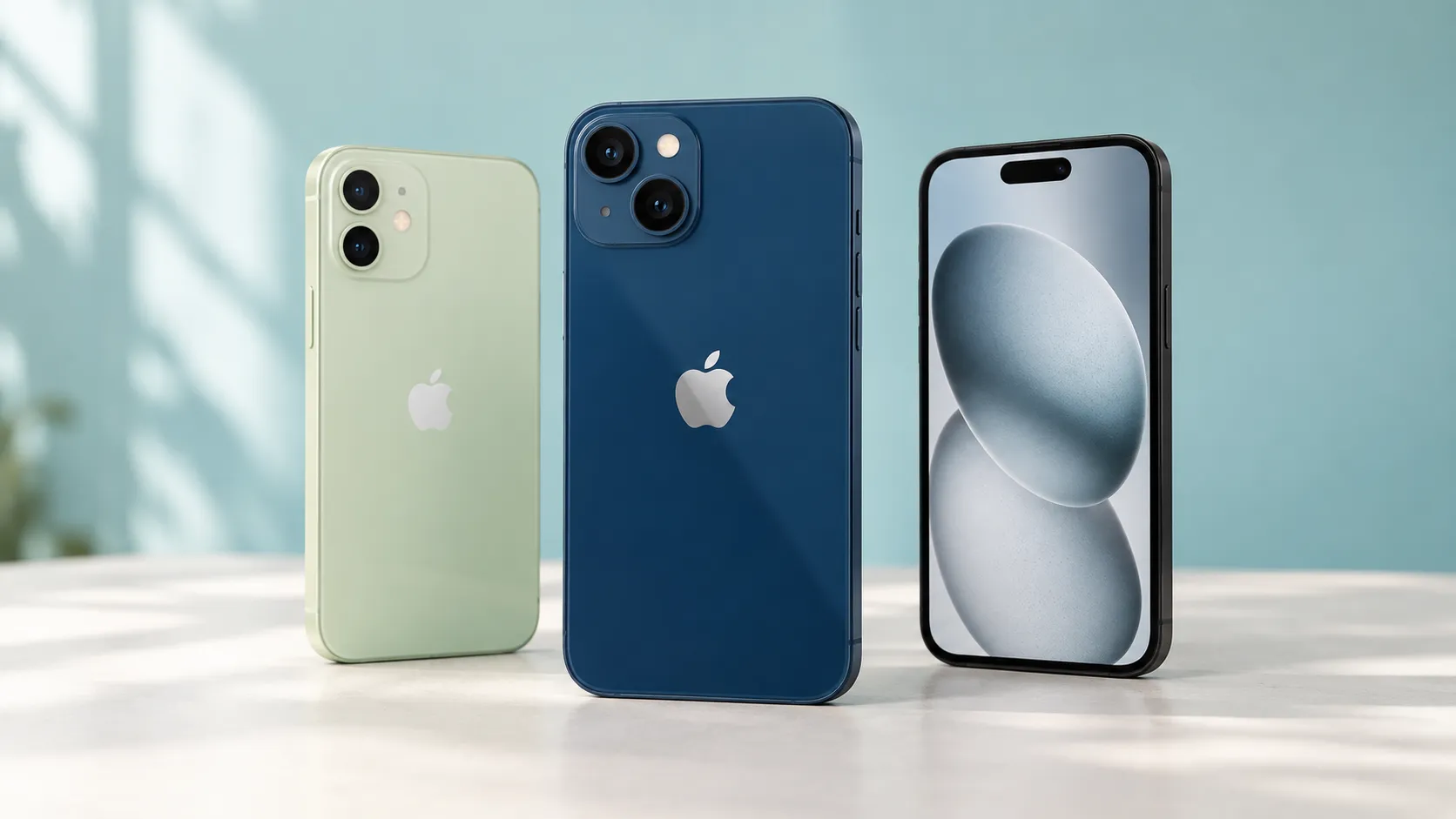
A used iPhone 13 with 128GB storage is a sensible starting point if you want an affordable iPhone in Sri Lanka in 2026. Consider an iPhone 12 when the saving is substantial, or compare the iPhone 15 and 16e when you can spend more for features you will use.
The right choice depends on the actual phone. Battery condition, replacement parts, storage and warranty terms can make an older model a better purchase than a newer one.
How much should you budget for an affordable iPhone in Sri Lanka?
The prices below were observed on Sri Lankan retail pages during research on 14 September 2026. They are reference offers, not market averages or quotations from Udarata Computers.
Before comparing offers, request the same storage capacity, payment method and accessory package. A category-page price may not describe the unit you receive. Imported-stock pricing can also change, so obtain a dated quotation instead of relying on an old screenshot.
Which affordable iPhones are worth shortlisting?

iPhone 13: the first used model to compare
Best for: students, first-time iPhone buyers and everyday users who want a balanced starting point.
The iPhone 13 combines an A15 chip, a 6.1-inch OLED display and storage starting at 128GB. That is a useful foundation for messaging, study apps, navigation and everyday photography. Its hardware specifications explain why it belongs on the shortlist without needing to chase a Pro model.
Choose it when the battery, screen and warranty are satisfactory. It uses Lightning rather than USB-C. Skip an overpriced or heavily repaired example; the model name cannot compensate for poor condition.
iPhone 12: worth considering when the saving is substantial
Best for: buyers with a firm spending limit.
The iPhone 12 offers a 6.1-inch OLED display and 5G capability, but its storage starts at 64GB. Check the capacity carefully before treating a low price as a bargain. See the model specifications when comparing variants.
Buy it when the saving over a comparable iPhone 13 leaves room for any necessary battery work and accessories. Avoid it when those costs nearly close the gap. For someone who keeps plenty of videos or downloaded lessons, a cheap 64GB unit may be an uncomfortable compromise.
iPhone 14: buy when the offer beats the 13
Best for: buyers offered a better-condition phone for a modest additional cost.
The standard iPhone 14 retains the A15 chip family and Lightning connection. Camera additions include front-camera autofocus and Action mode for video. Those camera improvements may help someone who records regularly.
Pay extra when you can explain the benefit: better condition, stronger written coverage or useful camera features. Skip a large premium for ordinary calls and messaging. A clean iPhone 13 can remain the more sensible purchase.
iPhone 15: pay more for USB-C and camera benefits
Best for: buyers who want USB-C charging and a more capable main camera.
The iPhone 15 brings USB-C, a 48MP main camera and a brighter outdoor display. These are practical improvements for someone sharing charging cables with other devices or taking product photos for a small business. Check the iPhone 15 specifications for the features that matter to you.
Avoid paying a large premium merely because it is newer. The standard iPhone 15 does not support Apple Intelligence; software compatibility and AI feature eligibility are separate questions.
iPhone 16e: compare it with expensive used phones
Best for: buyers whose budget reaches newer retail options.
The iPhone 16e has an A18 chip, USB-C and compatible hardware for Apple Intelligence. However, it lacks an ultrawide rear camera and native MagSafe charging. Review those feature trade-offs before choosing it over a used iPhone 15.
The observed prices show why this comparison matters: a used phone is not automatically cheaper. Request a confirmed new-unit quote with written coverage. Choose the 16e when that package suits you; skip it if ultrawide photos or MagSafe accessories are important.
iPhone 17e: a higher-budget new-phone option
Best for: buyers who want a newer model and can comfortably afford the step up.
The iPhone 17e starts at 256GB and includes MagSafe and an A19 chip. Its 2026 introduction details make it relevant to this comparison.
However, the observed Rs.267,000 offer puts it well above the used iPhone 12 and 13 examples. Consider it for the additional storage and newer hardware. Skip it when buying it would consume money needed for other essentials.
When does the cheaper iPhone cost more?
Add the costs beyond the handset
Your useful comparison is the phone price plus necessary repairs, accessories and payment charges. Include travel or delivery costs if obtaining support means sending the device elsewhere.
For illustration, suppose Phone A costs Rs.90,000 and needs Rs.18,000 of quoted work and accessories. Its starting cost becomes Rs.108,000. Phone B at Rs.105,000 with no identified immediate work could be better value. These are hypothetical figures, not repair quotations.
Get a battery-replacement quote for the exact model before paying. Ask which part will be fitted, what the price includes and what repair warranty applies. Compare the total payable under instalments with the cash price.
If your existing phone meets your needs except for its battery, obtain a repair assessment too. Replacing the phone may not be necessary.
Choose storage before cosmetic condition
For most buyers in this guide, 128GB is a sensible starting point. Consider 256GB if you record frequently or keep large games, videos and work files on the phone.
Check how much storage you already use. A small scratch on a protected back panel may matter less than repeatedly running out of space. Cloud storage can help with some files, but it does not expand the phone’s physical capacity.
What should you check before paying?
Activation, SIM compatibility and IMEI
Have the seller remove the phone from their Apple Account and erase it, then complete setup with an internet connection. Do not accept a phone that still requests the previous owner’s account. A working Home Screen alone is not proof that Activation Lock has been removed.
Check Settings > General > About for carrier-lock information. Test calls and mobile data with your intended connection. Imported variants can have different SIM arrangements, so confirm physical-SIM or eSIM suitability before buying.
Follow the official IMEI verification guidance: send IMEI, a space and the 15-digit IMEI number to 1909. Resolve an unclear result before payment. This check does not establish battery quality or repair condition.
Battery, replacement parts and physical tests
Inspect Battery Health in Settings and look for service messages. Maximum capacity describes battery ageing; it does not promise a particular number of hours between charges. Battery condition can also affect performance.
Review Settings > General > About > Parts and Service History where available. An Unknown message needs investigation; it can have several causes. The information shown depends on the model and software, and only the latest service for a repeatedly serviced part may appear. Use the parts-history explanation to interpret it.
Test Face ID, touch across the screen, cameras, microphones, speakers, buttons, Wi-Fi and charging. These checks form part of a useful pre-owned inspection. Walk away from unresolved faults rather than accepting a verbal promise to fix them later.
Written warranty and repair arrangements
Ask for an invoice identifying the device and written answers to these questions:
- How long is hardware coverage, and which parts are excluded?
- Is there a return period, and what qualifies for a return?
- Does an accepted fault lead to repair, replacement or refund?
- Who handles the claim, and who pays transport costs?
A long software-support period does not establish equivalent hardware coverage. For buyers in Kandy, knowing where to take the phone and how the claim will be handled is part of its value.
Frequently asked questions
Is the iPhone 11 still worth buying in 2026?
Possibly, for a very tight budget and a well-inspected unit. It remains on the iOS 27 compatibility list. However, compare its condition and necessary spending against an iPhone 12 before choosing it. Current support alone does not make every old phone good value.
Is 85% battery health enough for a used iPhone?
It can be acceptable at the right price, but it is not a pass mark. Consider service messages, charging behaviour and your usage. If battery life is especially important, include a replacement quotation in the comparison instead of relying on the percentage.
How many more years of updates will these iPhones receive?
The shortlisted models appear on Apple’s iOS 27 compatibility list. The sources reviewed do not establish a guaranteed final update year for each model. Buy for the support and features verified today, rather than a seller’s prediction.
Is a refurbished iPhone better than a used iPhone?
The label alone does not establish better quality. Ask what was inspected, repaired or replaced and what coverage is included. A documented repair can be useful, but an unexplained “refurbished” description gives you little basis for comparing two phones.
Which iPhone should you choose?
Start with a clean iPhone 13 128GB quote. Move down to an iPhone 12 when the saving remains worthwhile after necessary costs. Move up when better condition, USB-C, camera features or a newer retail package provides a benefit you need.
Before deciding, compare two written offers with storage, battery information, repair history and warranty terms side by side. You can ask Udarata Computers in Kandy about currently available used iPhones and the specific terms for each device. Choose the phone whose condition and total cost you understand.